Vibe Coding Needs a Platform
Vibe coding is magic until it's time to ship. Docker Desktop is the platform that turns AI-built sketches into isolated, reproducible, shippable software.
Vibe coding feels magical — describe the app, watch the AI scaffold screens, routes, and database calls. But demos are not products. What turns a fast sketch into shippable software is a thin, boring, reliable platform underneath it. This guide shows how that platform works, why Docker Desktop sits at its center, and how to adopt it without killing the vibe.
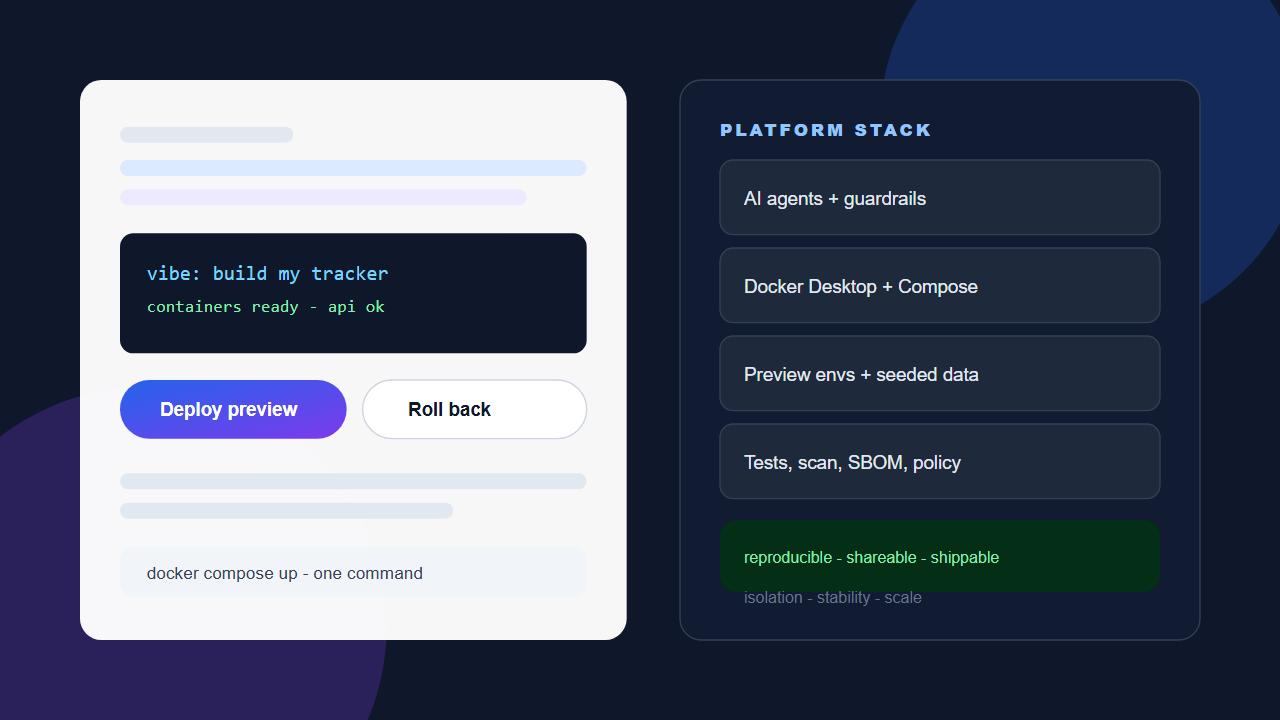
A conversational build prompt on the left becomes runnable containers on the right, with AI, Docker, data, and assurance layers providing isolation and stability.
1. The vibe is real — but vibes do not ship alone
Vibe coding means building software conversationally: you narrate intent, the model generates code, you react, it revises. Designers can produce working prototypes, non-developers can automate real workflows, and senior engineers can move shockingly fast on boilerplate, integrations, migrations, and first drafts. The loop is tight and genuinely fun, which is why the practice spread so quickly.
The problem is what happens after the demo. A prototype that runs on one laptop, on one Node or Python version, with an API key pasted in a forgotten env file, is a sketch, not software. I’m Govind Davis, and I learned that early: speed without a floor turns into drift, broken environments, and work that cannot be handed to anyone else.
Getting from sketch to software requires unglamorous answers to basic questions: same dependencies everywhere, same data shape, same build steps, same way to roll back when the model hallucinates a library at 2 a.m. A platform answers those questions once, so every agent session and every human teammate inherits the answers.
“So I actually run the harness — I run OpenChamber, which runs on top of OpenCode. That’s where the agents do the work. But what they’re building is generally deployed into this Docker environment. And that creates the isolation, the stability, the platform foundation that I need to scale this up.”— Govind Davis, Docker Desktop Platform Talk. Watch the video below to hear me walk through my full setup.
I run my agents in an OpenCode-based harness with OpenChamber and deploy what they build into Docker. That split — messy, fast generation on one side, stable, isolated execution on the other — is the core pattern I follow.
2. Why platform matters more in the AI moment
We have seen this curve before. Cloud made servers invisible, then teams rediscovered VPCs, IAM, and cost controls. Low-code made apps easy, then teams rediscovered governance. AI code generation is the same curve, only steeper, because volume, non-determinism, and sprawl all arrive at once.
Volume goes up, review goes down
One person with agents can generate the output of a small team. Without a standard pipeline — lint, test, container build, preview URL — defects scale as fast as features. A platform absorbs volume by making the safe path automatic: every branch builds the same way, runs the same gates, and produces a runnable artifact.
Non-determinism is the default
Same prompt, different day, slightly different code. New model version, very different code. Without pinned environments, lockfiles, and image tags, you cannot answer what exactly shipped. Containers plus digests give you that answer. When I leave services running for days and rebuild only when I change something, I am treating the image as the contract.
Security and data sprawl
Vibe workflows scatter secrets by default: keys in chat history, dumps in temp folders, production CSVs copied for a realistic demo. A platform centralizes secrets in a manager, provides seeded test data, and blocks unapproved egress. Research from container-security vendors consistently finds leaked credentials and unpatched base images among the most common real-world exposures — exactly what happens when generated code runs natively with no gates.
3. What a good vibe-coding platform actually includes
Forget the buzzword diagram. A small team needs five layers, all assemblable with off-the-shelf tools and no platform team.
Prompt-to-code layer. One primary AI IDE or agent, not five with different defaults. Examples include GitHub Copilot, Cursor, Windsurf, Replit Agent, v0, Lovable, and Bolt. Log prompts and decisions in pull requests so later debugging can trace which instruction produced which change.
Environment layer. How “works on my machine” becomes “works everywhere.” Docker Desktop plus Compose locally, and matching container builds in CI. Commit the Dockerfile, compose.yaml, and .env.example. Delete the setup wiki.
Integration layer. APIs, auth, and data. Local Postgres and Redis containers with seed scripts, mock servers for third parties, contract tests, and a single secrets source such as Doppler, 1Password Connect, or a cloud secret manager. Never copy production data to laptops.
Delivery layer. A preview environment per branch, a registry for images (Docker Hub, GHCR, ECR), one-click promotion and rollback. Even a simple Compose-based preview on a single VM beats sending a zip file.
Assurance layer. Tests the AI must run, not suggest: unit plus Playwright or Cypress smoke, container scan with Docker Scout or Trivy, secret scanning, license checks, and policy checks such as no new outbound hosts without approval. A simple rule scales well: if the AI cannot produce it as a runnable container that passes tests, it is not done.
4. Docker Desktop: why it still belongs in the stack
Every few months someone declares Docker Desktop obsolete — replaced by cloud dev boxes, lightweight sandboxes, or an agent that “handles envs.” For vibe-coding teams, that misses the point. I tried the obvious alternatives first. Running Node directly on Windows left stray processes everywhere for me. WSL brought access sprawl, constant compaction, and poor observability. Once I moved to Docker Desktop, scalability and stability came together for me, with services staying up for 10 days, 8 days, and longer.
Parity: laptop equals CI equals preview
When the AI adds Postgres, Redis, a vector database, or a headless browser, Compose declares it in one file and docker compose up reproduces it. New teammate, new agent session, same stack in minutes. That parity is what lets me trust that work running for weeks locally will also run in the cloud.
Isolation without friction
Generated code wants to run shell commands, install packages, and touch the filesystem. Natively, that pollutes the laptop. In containers, it is disposable and resettable. Docker Desktop adds resource controls — I give 24 of 32 GB to Docker — plus volume mounts, networking, image management, and fast reset. Extensions, built-in Kubernetes for simple cases, and consistent behavior across Mac, Windows, and Linux round out the local loop.
Shareability and developer experience
A Compose project plus an image tag can be run by anyone. A folder of loose files plus “you need Python 3.11.4” kills momentum. Images travel; instructions rot. Agents also get smarter when containers are the convention: they can read Dockerfiles, suggest services, and debug container logs, landing output in runnable shape instead of hopeful READMEs.
Use Docker Desktop for
Local orchestration, fast inner loop, resource settings, Extensions, built-in Kubernetes, consistent volumes and networking.
Pair it with
Dev Containers spec, Testcontainers for integration tests, Tilt or Compose Watch for live reload, and a registry for sharing images.
5. Watch the workflow in action
The ideas above are easier to grasp watching me tour my own machine — long-running containers, separated services, and tiny notifiers doing real work. Watch the video to learn more about how I allocate resources, structure services, and decide what deserves its own container.
Docker Desktop Platform Talk with Govind Davis — the full walkthrough of the local-first, container-isolated setup described in this article.
Notice two habits in my tour. First, I am not afraid of many containers. Some are substantial apps; many are small and focused. Second, I use uptime as a signal. If a service has been up for days, the platform is working. If something is less than a few days old, it is usually because I rebuilt it while improving it — exactly the rebuild-on-change discipline containers reward.
6. Small containers, separated concerns
I once found many containers overwhelming. Once past that fear, separation became leverage. My Friday setup keeps the web interface separate from the scheduler running job operations, so front-end reporting or UI changes do not require rebuilding or restarting the scheduler. That is textbook single-responsibility applied to local orchestration.
I extend the same idea to tiny utilities: a basic Python container of about 20 lines that checks scheduler progress against goals — emails sent, LinkedIn automation completed — and sends an NTFY notification. It stays up for days, alongside a handful of similar notifiers. If an hour passes with no message, I know to check power or connectivity, because my machine itself rarely stops. Small, observable, and boring is the point.
This pattern generalizes well. Prefer one service per container, one Compose file per project, named volumes for state, and healthchecks so dependencies start in order. Keep seed scripts in version control, keep secrets out of images, and let logs flow to one place the agent can read. Research on developer productivity repeatedly finds that fast, reproducible inner loops beat raw generation speed — containers are how you keep the loop fast.
7. Risks, alternatives, and honest trade-offs
Skipping the platform has predictable costs. Environment drift wastes hours on setup-specific bugs. Secrets and real customer data leak into prompts and temp folders. Unreviewable sprawl creates architectures nobody chose — cron jobs, migrations, and edge functions generated faster than they can be reviewed. No reproducibility means no confident fixes. And the demo-to-prod cliff demoralizes everyone when engineering declares a rewrite.
Docker Desktop is the baseline, not a mandate. Rancher Desktop and Podman Desktop suit teams wanting open-source or daemonless Docker-compatible runtimes with Kubernetes testing. OrbStack appeals to Mac users prioritizing speed and low overhead. Dev Containers plus cloud boxes help onboarding and thin clients. Nix and Devbox reproduce toolchains without full containerization. Browser sandboxes demo frontend-only ideas instantly. Each has limits — cross-OS consistency, cost, latency, offline work, learning curve, or backend persistence — and most still benefit from exporting a container image as the contract.
“There are other alternatives to Docker, Podman and Rancher. But if you’re vibe coding, do your genetic development and building, you know, kind of machines, AI driven machines, this platform level is an absolute must have.”— Govind Davis, Docker Desktop Platform Talk. Watch the video above to hear my full closing argument.
The winning pattern for most teams remains Docker Desktop or a compatible runtime locally, the container image as the contract, and cloud previews for sharing. Let the AI generate fast; let containers make it real.
8. Starter kit and a three-day start
Start thin and standardize early. Pick one AI IDE plus one web generator for landing-page speed. Containerize with Docker Desktop and Compose. Seed Postgres and Redis locally and test with Testcontainers. Share via a registry and preview environments so every AI-built branch gets a URL. Guard with pre-commit hooks, unit plus smoke tests, image and secret scanning. Document the rule: work is done when it runs as a container and passes gates.
- Day 1 — Containerize the vibe: take the best AI prototype, have the agent add
Dockerfilepluscompose.yaml, makedocker compose upthe only setup step. - Day 2 — Lock secrets and data: move keys to a manager, replace real data with a seed script, add
.env.exampleand scanning. - Day 3 — Add one gate: CI builds the image, runs tests and scan, posts a preview URL. No green build, no merge — even for agent branches.
That is a platform: small, boring, powerful. It preserves the speed that makes vibe coding fun and adds the reproducibility that makes it trustworthy.
Closing: platform is the vibe’s memory
Vibe coding is how software starts now — conversational, visual, iterative. Ideas remain cheap; running systems are not. The platform remembers which image, which data, which test, and which decision. Docker Desktop and its alternatives are not overhead. They are the memory that lets teams prompt quickly and produce reliably, for the demo and for the customer.
Get the next field note
New articles, show notes, and practical lessons from the Strattegys AI crew.
 General
See How AI Changes the Calculus for GTM Strategy
What we learned from a Mirror Teams strategy session about how AI lowers the barriers, increases the speed, and changes the output of go-to-market analysis.
 General
Stop Renting Intelligence. I Built My Own Robot — And Here's the Exact Blueprint.
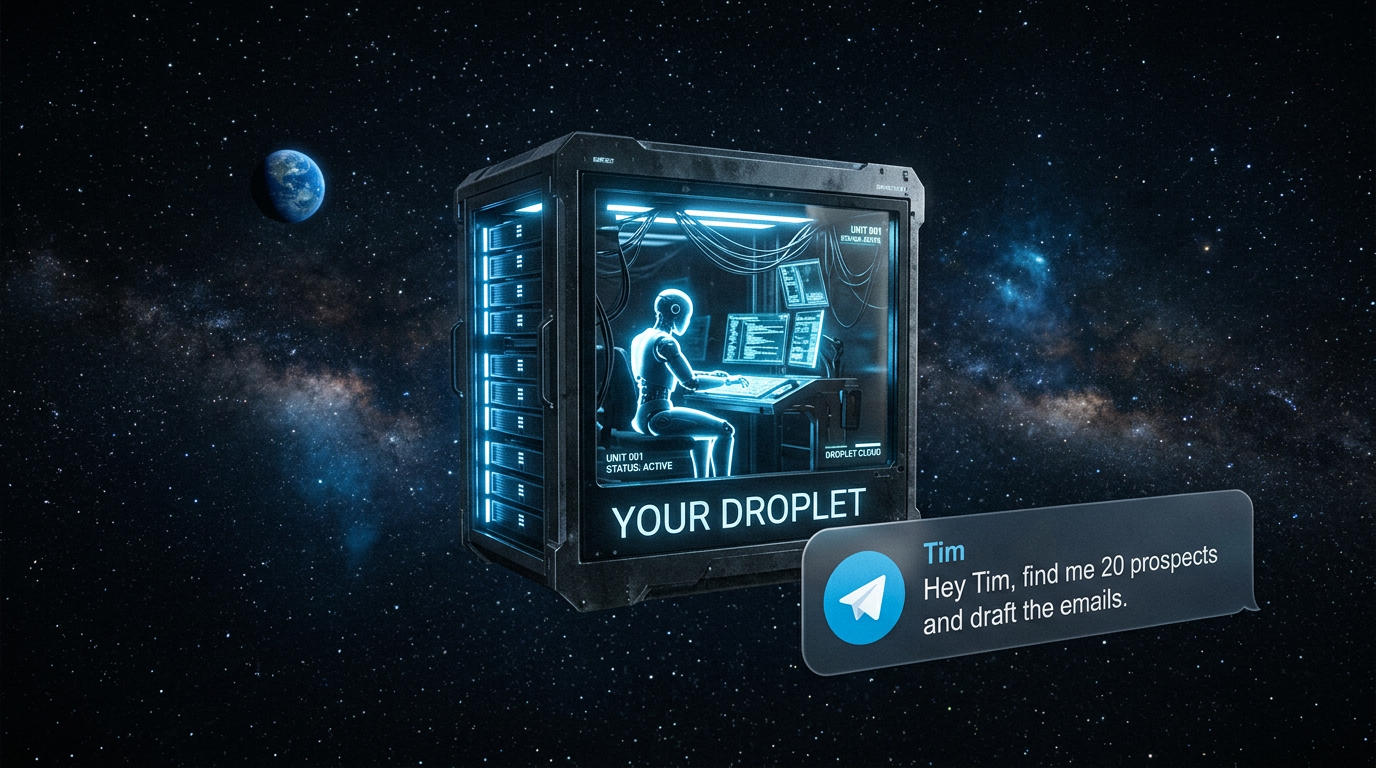
An autonomous AI agent for under $50 a month: a DigitalOcean droplet, the NanoClaw repo, Windsurf, and the whole blueprint live-streamed, patience included.
 Featured
Stop Throwing Mud at the Wall
A surreal late-night show, 10 PM in Sweden and midday in Texas, where three minds debate how to sell in the age of AI — and who the future belongs to.

Your brand here
Get your founding sponsor spot now.
Become a founding sponsor
Inquire to learn about features, shows, and sponsor placements. No plans, no pricing sheets — just a conversation about fit.